Host a game server at home.
Share a unique domain with players. Free DDoS protection. No port forwarding required.
- 01
One file
A single static binary. No installer, no daemon, no system service to register. Drop it anywhere on your PATH and run it. Uninstalling is deleting the file.
- 02
No port forwarding
Digger dials out to the relay over a normal outbound TCP connection, the kind every router already permits. CGNAT, dorm Wi-Fi, hotel networks, double NAT all work. Your firewall stays closed.
- 03
TCP and UDP
Most multiplayer games use both: TCP for matchmaking and chat, UDP for the gameplay loop. Digger tunnels each protocol natively, so latency-sensitive UDP traffic doesn't get wrapped in TCP and stutter.
- 04
Built-in presets
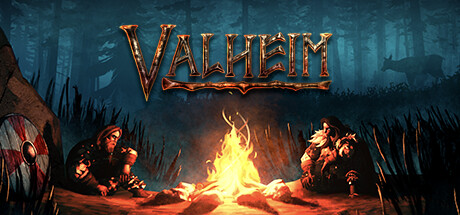
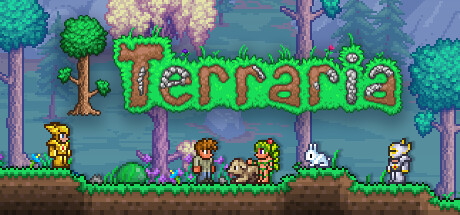
Press g and pick from the list: Minecraft, Valheim, Terraria, Project Zomboid, Factorio, ARK, and the rest. The right ports and protocols are set up automatically. No looking up which UDP range the server wants this week.
- 05
Linux, macOS, Windows
The exact same binary, built for every common arch (x86_64, arm64). Friends on different OSes can all join. There's no “Windows-only client” situation. Apple Silicon and Linux ARM SBCs work out of the box.
- 06
Open source
MIT-licensed client and relay on GitHub. Read the source, audit the protocol, fork it, run your own relay if you don't want to trust ours. No telemetry, no analytics phoning home from the binary itself.




Here's the app.
Is port forwarding safe?
For most people, yes. Routers have been forwarding ports since the 90s and the protocol is well understood. As long as the program you're exposing is reasonably maintained, like a recent Minecraft, Valheim, or Terraria server, you'll be fine. Forward the one port the game wants, leave everything else alone, and the attack surface is just that one game.
The honest caveats: players see your home IP, which some people prefer to keep private. CGNAT customers can't forward at all. And if you ever forget to turn the rule off, the port stays open after you're done playing. None of these are dangerous on their own. They're just little chores.
Digger handles those chores for you. Traffic comes in to us first, so players see our IP instead of yours, and the tunnel closes the moment you stop the client. Nothing is left listening. Same connection model as Tailscale or a VPN, just pointed at one game.
For full disclosure: traffic passes through our relay, so we see metadata like your IP, players' IPs, byte counts, ports, and timestamps. We don't read the payload. If you'd rather not trust us with that, the relay is open source at github.com/digger-gg/digger-client and you can run your own.